
I have a homelab, but accessing it from outside my home network was always a pain. I didn’t want to deal with the hassle of setting up VPNs on every device just to watch something on Jellyfin, so I built Knocker!
It’s a knock-based access control service for your homelab that actually works with mobile apps, with clients on most platforms used by homelabbers.
How does it work?
By being completely transparent for whitelisted IPs, Knocker doesn’t break API clients like mobile apps. Once you whitelist your IP, you are ready to go. You can even whitelist an IP other than your own if needed.
Knocker Tokens
Knocker works by using tokens as passwords. Each token has specific permissions, like a customizable max TTL (capped server-side) and an option to allow whitelisting IPs other than your own.
By connecting Knocker to your reverse proxy, Knocker will analyze the request IP. Depending on the local whitelists, it will either return a 200 OK or a 401 Unauthorized status, which is then forwarded to the end client.
Why Not Just Use a VPN?
I already use Tailscale. In fact, the IP of my homelab is the Tailscale IP because I added custom routes for it.
But using a VPN for everything is annoying. You have to install it on every single device, which is a nightmare on things like Smart TVs. Plus, keeping the Tailscale app running on Android drains my battery like crazy.
With Knocker, you just need one device to knock, and thanks to NAT, your whole network gets access.
Is This as Secure as a VPN?
No.
Knocker is a compromise. It trades some security for convenience. You can’t whitelist specific devices, only source IPs (which might be shared CGNAT IPs).
You’re basically making a bet that within that short whitelist window, the likelihood of a hacker scanning your specific port and attacking it is pretty slim.
That’s why you should use short TTLs on public networks. In general, Knocker should be used in front of services that already have their own authentication.
Setup
Knocker is distributed as a Docker container that optionally uses the system DBus socket to interact with the FirewallD daemon.
docker-compose.yml: github.com/FarisZR/knocker
knocker.yaml
| |
Connecting Your Reverse Proxy to Knocker
I use Caddy, but Knocker should work with any reverse proxy that supports using an external auth endpoint.
| |
Now your service will respond with a 401 Unauthorized for every non-whitelisted IP.
FirewallD Integration
Knocker has another trick up its sleeve: it can integrate with FirewallD to operate on the firewall level, allowing you to use it for non-HTTP services like a game server!
There is a caveat, though: exposed bridge Docker ports will still bypass these rules. Unfortunately, there isn’t any firewall that deals with Docker port forwarding rules well. You have to use host networking mode for it to work.
| |
Clients
The strong point of Knocker, and where I actually spent most of my time, is the clients. I designed them to get out of the way as much as possible.
Knocker-Web
GitHub.com/FarisZR/Knocker-Web
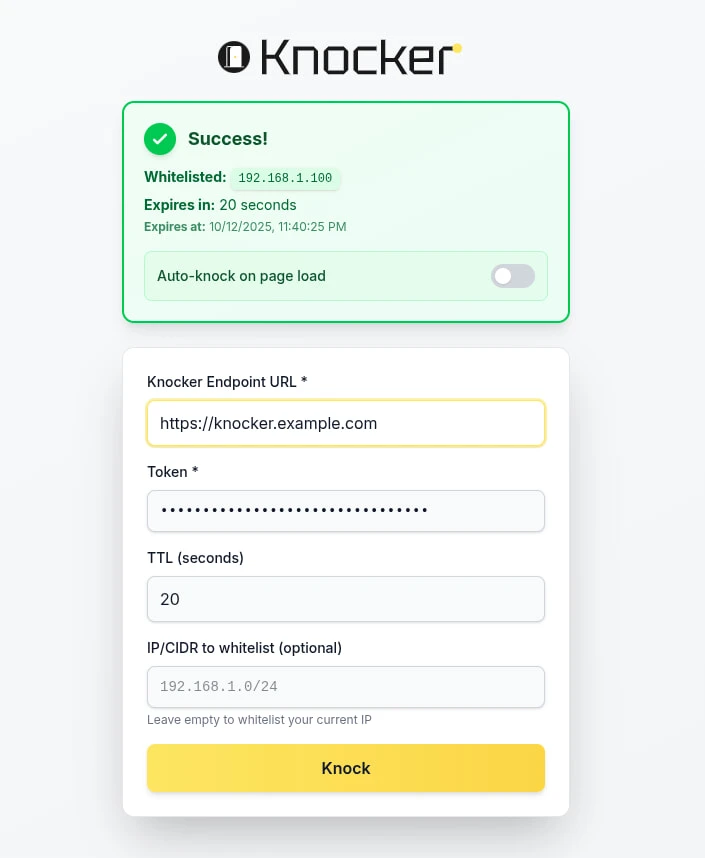
Knocker Web is a web client built with Vite. It’s fully static and can be installed as a PWA. It’s meant to be the primary client, as it works basically everywhere.
What makes it really convenient is the “knock on reload” feature. You just open the site and that’s it; you don’t care what happens after that. It’s especially useful when used as a PWA, as it means it will perform a knock when opened.
Knocker-CLI
GitHub.com/FarisZR/knocker-CLI
A CLI client written in Go with support for creating a background service for periodic knocks using Systemd/LaunchAgent.
| |
Knocker-Gnome
GitHub.com/FarisZR/knocker-Gnome
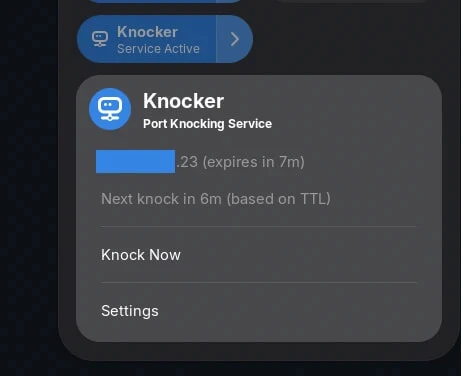
An experimental Gnome extension that interprets the JSON logs output by Knocker-CLI, and allows you to manually trigger knocks, disable the service, and see the timeout for the current knock.
Knocker-EXPO
GitHub.com/FarisZR/knocker-expo
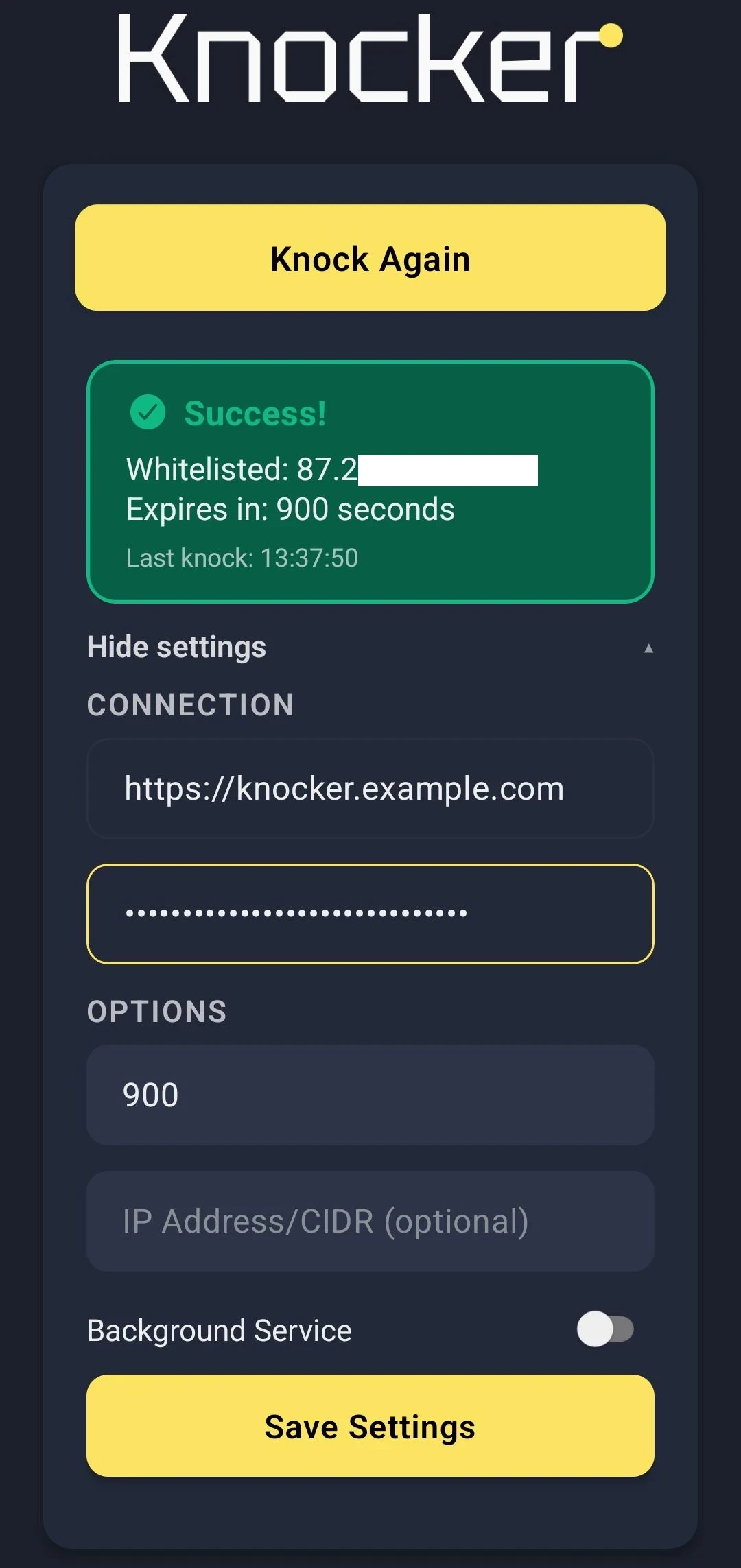
An experimental Android App built using React EXPO. It does the same thing as the PWA, with support for creating a background service to regularly send knocks.
However, its reliability depends on the manufacturer, as not all of them actually allow Android background processes to run reliably.
Vibe Coded with AI
Thanks to the Roo Code hackathon (sponsored by Requestly and Google), I finally had the excuse to build this. I started with Gemini 2.5 Pro, burned through over $1700 in tokens, and eventually moved to GPT-5-CODEX and GitHub Coding Agent (Sonnet 4, later Sonnet 4.5) to build out features.
I used CodeRabbit for reviews and set up a full integration test environment for the agents to iterate against that’s why this thing actually works at all.
I ran static analysis on the backend and found zero vulnerabilities, so there’s that.
What I’m trying to say is, this isn’t your average “I told Replit to code it” project, but still, if you’re anti-AI, don’t use this please.
I may go into more details about my workflow for implementing Knocker using Roo Code in a separate blog post, because it wasn’t easy to go this far with AI.